
An SNMP policy is used by the SNMP fetcher to make an SNMP walk query. Each SNMP policy is a set of Object Identities (OID) and their query time intervals. The OID specifies all the branches of the OID tree for fetching. All variables in the sub-tree below the given OID are queried.
Go to Configure >> Entities >> SNMP Policies.
Select the LogPoint instances where you want to configure the SNMP policy.
Click Next.
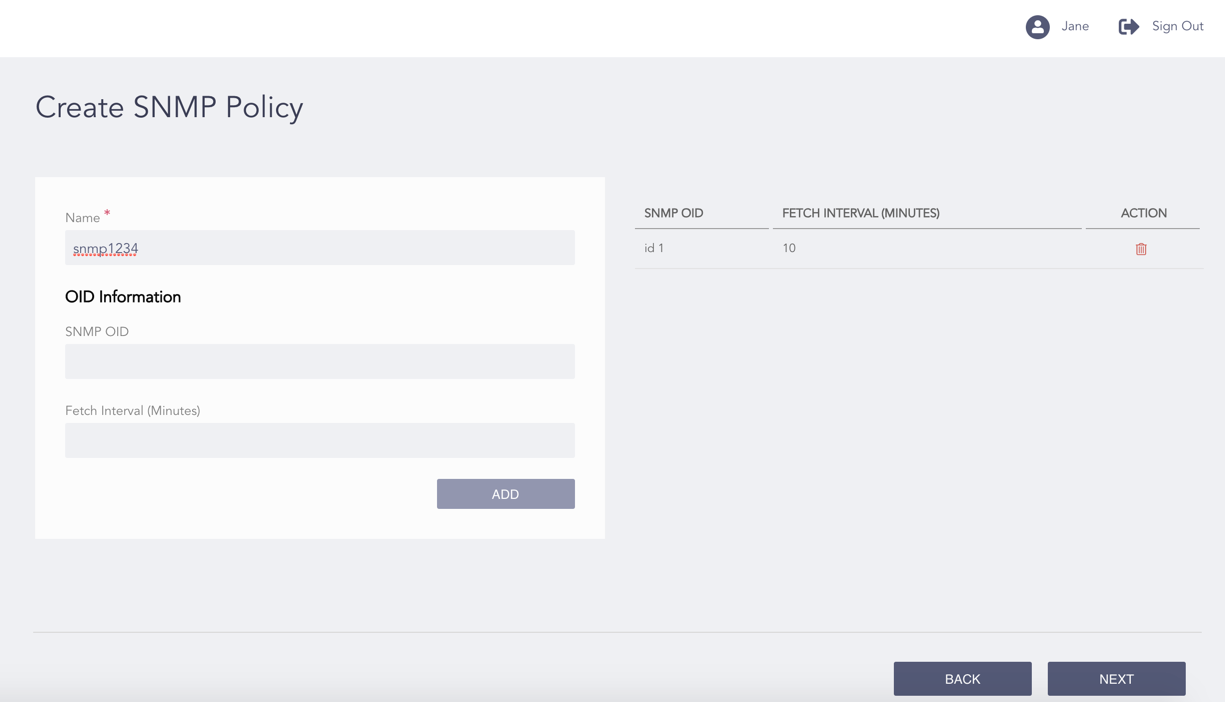
Configuring the SNMP Policy
Enter a Name.
Enter the SNMP OID and a Fetch Interval in minutes.
Click Add.
Note
An SNMP policy can have multiple OIDs.
You can click the Delete ( ) icon from the Action column of an OID to delete it.
Click Next.
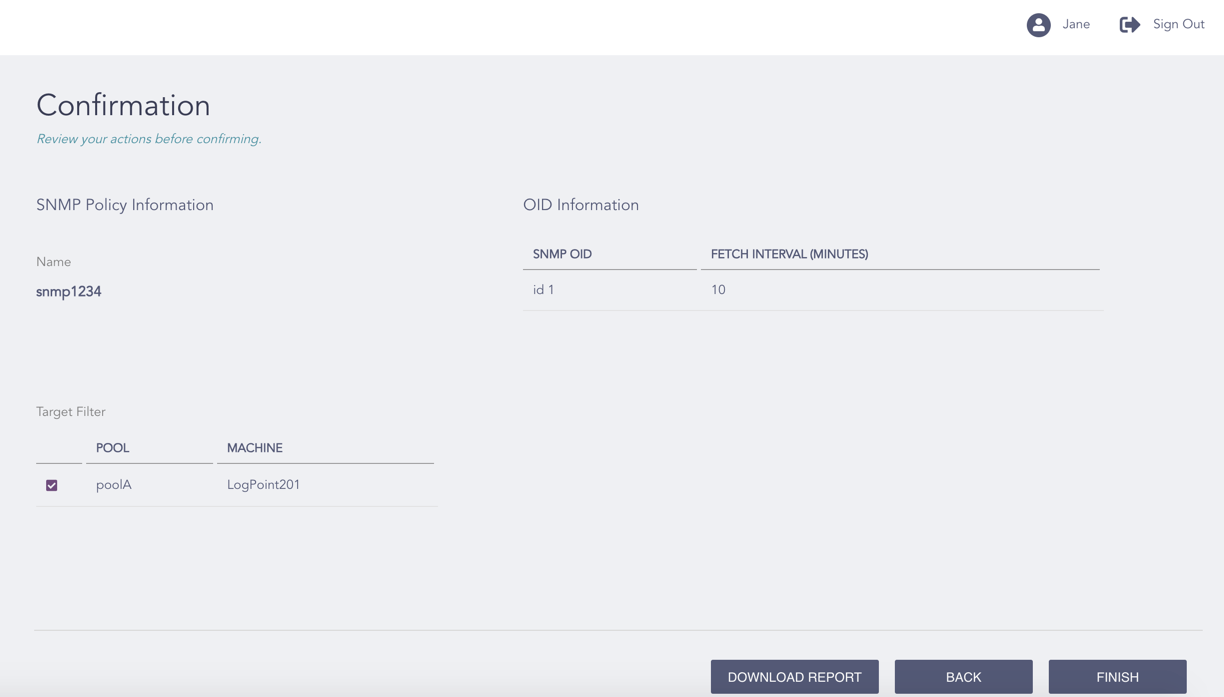
Confirming the Changes
Review your changes. You can go Back to make any changes if necessary.
Note
Click Download Report to save the summary of the task in PDF.
Click Finish.
Click OK.